Diverse containers
Emails, ZIP files, PDFs and attachments arrive in different formats and force the team to open, download and sort before the operation can even be reviewed.
D27 FactorDesk · Supply Chain Finance
The team deposits the documents, FactorDesk proposes, the operator validates and confirms.
Receive emails, ZIP files, PDFs and scattered supporting documents. FactorDesk breaks them down, classifies them and proposes validated, traceable case files ready to load into your ERP.
When every invoice depends on opening emails, separating supporting files, checking data and rebuilding case files, the bottleneck is no longer in the ERP: it is before it.
Emails, ZIP files, PDFs and attachments arrive in different formats and force the team to open, download and sort before the operation can even be reviewed.
A single file can mix several documents and several supporting pieces. The first task is no longer validation: it is separating and understanding what is inside.
Critical information is not always in one place. Documents, metadata and references must be crossed between different containers.
Each operation requires checking relationships, amounts, consistency between supports and possible duplicates. Too much review still depends on tacit team knowledge.
D27 FactorDesk is the AI-assisted operations workspace for Supply Chain Finance. Without replacing your ERP or your team’s judgement. D27 FactorDesk interprets the scattered documentation you receive and turns it into validated, traceable case files ready to load into your ERP.
A flow designed to automate repetitive work, make incidents visible and leave the operator in control of final validation.
Emails, ZIP files, PDFs, invoices, delivery notes and other supports. No need to change habits or manually rebuild every case file from scratch.
It breaks down containers, classifies documents, extracts metadata and proposes relationships between invoice and supports, with validation rules, alerts and visible incidents.
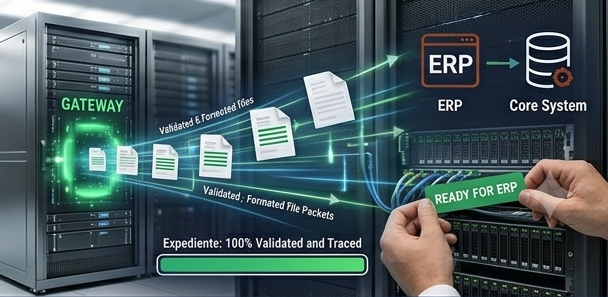
For each invoice, a reviewable, traceable case file is created and prepared for the ERP or Core System. The operator validates and confirms before impacting the system.
From document intake to the proposed load, FactorDesk concentrates the operational logic that sits before the ERP.
Receive documentation from email, ZIP, PDF and other heterogeneous containers.
Automatically decompose multi-document files and separate supports.
Classify documents by type and operational context.
Extract relevant metadata for each invoice and case file.
Propose automatic relationships between invoices and their supporting documents.
Apply validation rules and detect incidents before moving forward.
Manage alerts, exceptions and human review on top of the AI proposal.
Provide end-to-end case file traceability from received document to final validation.
Prepare the load to ERP or Core System only after operator confirmation.
Scenarios where the team needs to structure complex documentation before impacting the operating system.
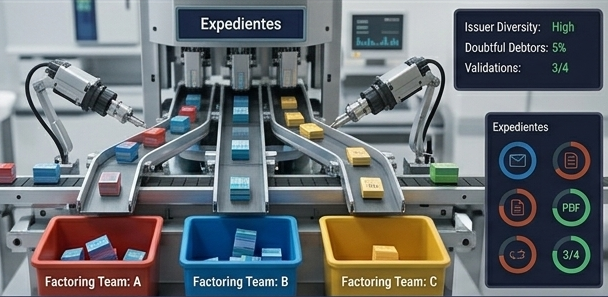
Operations where complexity grows because of the diversity of issuers, debtors, supporting documents and validations needed before accepting or loading a case file.
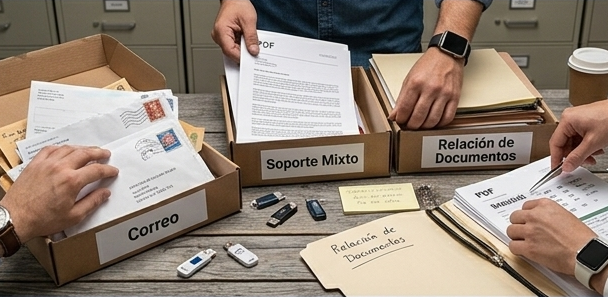
Backoffices receiving ZIP files, PDFs, emails and combined supports that need to separate, classify and relate documents before reviewing the operation.
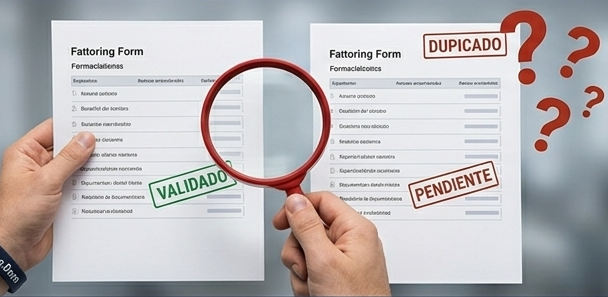
Teams that today spend a large part of their time detecting incidents, confirming relationships between documents and resolving exceptions before they can move forward.
Operations that do not want to impact the system until the case file is complete, traceable and validated by the responsible operator.
Activate a demo
Request a D27 FactorDesk demo and review with your team how to organise, validate and load case files without relying on tacit knowledge or manual typing.
Heterogeneous documentation · Validation by alerts · ERP-ready loading
Clear answers about how D27 FactorDesk receives, processes, relates and validates documentation before loading it into the ERP.
D27 FactorDesk is Dialog27's AI-powered operations workspace for Supply Chain Finance teams. It turns heterogeneous, scattered documentation into reviewable, traceable case files ready to load into the ERP or Core System.
D27 FactorDesk is used to reduce the manual work involved today in opening emails, downloading attachments, separating documents, identifying supporting files, relating them to each other and preparing complete case files before impacting the operating system.
D27 FactorDesk solves processes in which every invoice depends on scattered documentation, multiple validation rules and tacit team knowledge. It helps turn a fragile manual workflow into a supervised and more consistent operation.
No. D27 FactorDesk does not replace the ERP or the team's judgement. The system proposes relationships, classifications and validations; the operator reviews, decides and confirms before the information is loaded into the destination system.
D27 FactorDesk can work with heterogeneous document containers such as emails, ZIP files, PDFs and supporting documents associated with an operation. The exact scope is defined during project setup.
Yes. One of D27 FactorDesk's goals is to break down files or containers that include several documents and separate the supporting files that belong to each case.
Not necessarily. D27 FactorDesk is designed to sit between the documentation the team already deposits and the ERP, without forcing the back office to manually rebuild each case file from scratch.
Yes. D27 FactorDesk is built for operations where data and supporting files arrive scattered across several sources and need to be consolidated into one supervised workflow.
D27 FactorDesk decomposes containers, classifies documents, extracts relevant metadata and proposes how to relate the supporting files in order to build an operational case file.
The system proposes relationships between invoices and their supports, grouping the information needed so the operator can review the case file without manually reconstructing it.
D27 FactorDesk applies validation rules and raises alerts when it detects incomplete information, inconsistent supports or cases that require supervision before moving forward.
No. The system's proposal is always presented for human review. The operator validates the case file and confirms the decision before the information impacts the ERP or Core System.
A case file is the structured grouping of the invoice, its supports, the extracted metadata, detected alerts and the validation or loading proposal associated with the operation.
Yes. The system maintains traceability from the received documentation to the final proposal that is reviewed by the operator and prepared for the ERP or Core System.
The operator reviews case files, validates proposals, resolves exceptions and confirms the operation. D27 FactorDesk reduces repetitive work, but keeps control where operational judgement is needed.
Yes. The idea is to automate the most mechanical part of the work and make incidents and alerts visible so the team can spend time on cases that require real review.
Yes. D27 FactorDesk is designed to prepare validated case files ready to load into the ERP or Core System. The exact integration depends on the system in use and the scope of the project.
Yes. D27 FactorDesk is conceived as an intermediate operational layer between the incoming documentation and the system where the operation must finally be recorded.
Not necessarily. The product logic is that the system proposes and the operator decides. The ERP or Core System is only impacted after the human validation defined by the operation.
The deployment may include defining document types, validation rules, criteria for relating supports, alerts, input sources and integration with the destination systems.
D27 FactorDesk is built for operations and back-office teams working with heterogeneous documentation in Supply Chain Finance contexts and needing reviewable, traceable case files.
Yes. It is specifically designed for scenarios where complexity grows because of the diversity of issuers, supports, validation rules and documentary combinations.
Yes. One of its clearest use cases is an operation that currently depends on opening emails, downloading attachments, unzipping files and rebuilding case files by hand before they can be validated.
If your team loses time separating documents, identifying supports, crossing information and preparing case files before loading them into the ERP, D27 FactorDesk can help automate that operational layer without losing human control.